30W Foldable Wireless Charger for Phone, Watch & AirPods
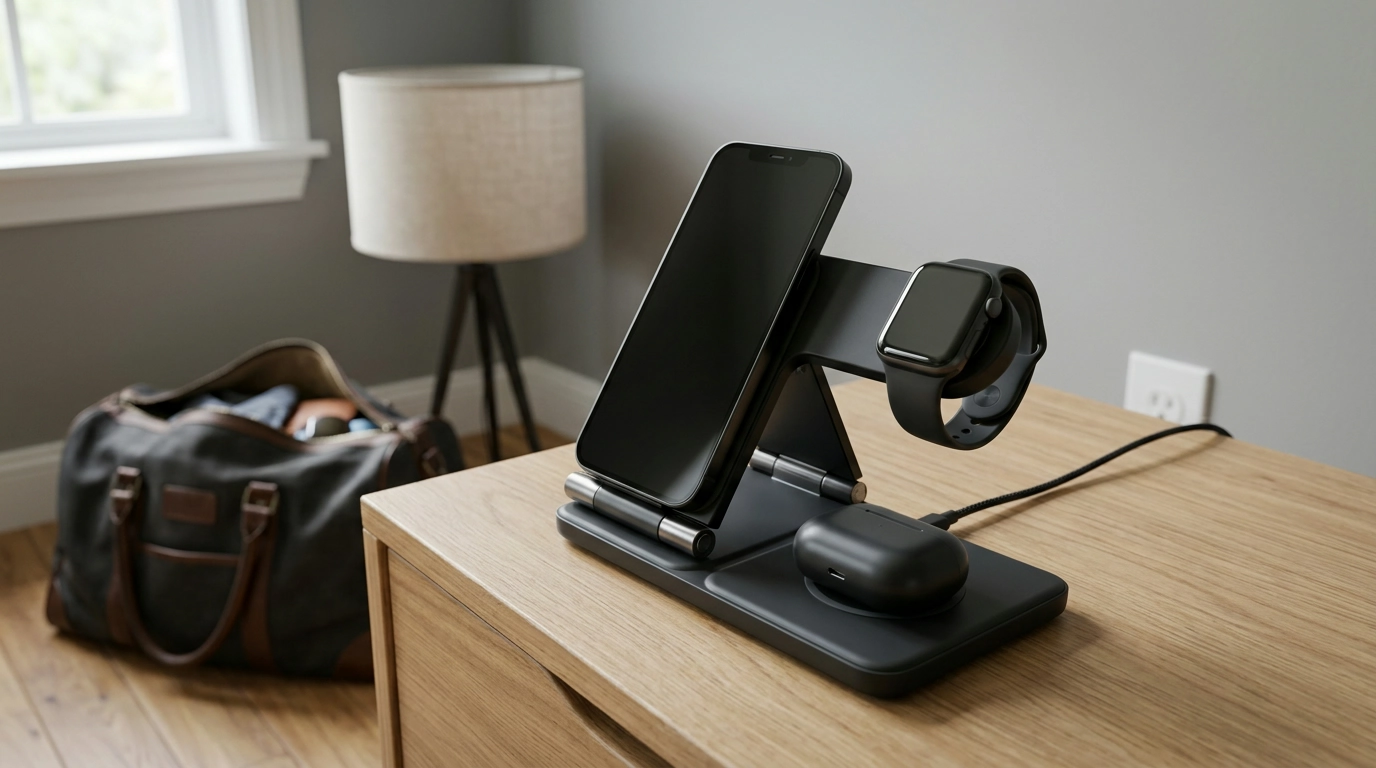
A phone, watch, and AirPods can each need attention at the end of the day. Keeping them in one place makes it easier to set up a charging routine and find everything when you’re ready to leave. Our 30W 3-in-1 foldable wireless charging station brings those devices together in a compact setup that can move from a nightstand to a desk or travel bag.
Before you plug it in, it helps to know what your devices need. Wireless charging support varies by model, and a suitable power adapter, cable, and device placement all matter. Our team recommends checking those details first so you can choose a setup that fits your routine.
One Place for Your Daily Devices
With separate charging areas for a phone, watch, and AirPods, a 3-in-1 station gives you a designated place for each device. Instead of looking for three separate spots at the end of the day, you can bring your essentials together where they’re easy to reach.
The 30W 3-in-1 Foldable Wireless Charging Station also folds, making it a practical choice when you want to put your charging setup away or pack it between locations. At home, it can help keep a nightstand or desk organized. On a trip, it gives you one familiar place to set down compatible devices.
The station is listed as a 30W 3-in-1 charger, but that rating does not mean each device receives 30W. Power delivered to an individual device depends on the device and the power setup. Focus on compatibility and a reliable connection rather than assuming a particular charging speed.
A Simple Setup for Home or Travel
Choose a stable, accessible surface near a suitable power source. A clear spot on a desk, bedside table, or hotel room counter gives you room to position your devices and see their charging indicators. Keep the station where it won’t be easily knocked off the surface or covered by other items.
Before use, confirm the station’s power adapter and cable requirements. Don’t assume either accessory is included; review the product details and use a power setup that meets the requirements. Once connected, place each compatible device on its designated charging area and look for its charging indicator.
If a device does not begin charging, reposition it on the appropriate area and check the power connection. A case can also interfere, so try removing it if necessary. Follow the instructions supplied with both the charger and your device for additional troubleshooting.
For a travel routine, you can fold the station for packing and set it up again when you arrive. If you’re also refreshing your travel wardrobe, our Adidas Women’s White Faux Leather Sneakers are another option to explore.
Check Compatibility Before You Charge
Wireless charging is not the same across every device. Before buying, confirm that your specific phone supports wireless charging and that your watch model is compatible with the station’s watch charging area. For AirPods, the important detail is whether the charging case itself supports wireless charging.
| Device | What to confirm |
|---|---|
| Phone | The model supports wireless charging and can be positioned on its charging area. |
| Watch | The watch model is compatible with the station’s watch charging area. |
| AirPods | The charging case supports wireless charging. |
Case thickness and materials can affect wireless charging. If your phone or AirPods case does not start charging, remove any protective cover and try positioning the device again. Keep metal objects off the charging surface and follow the safety instructions for your equipment.
For more device-specific guidance, Apple explains how to wirelessly charge an iPhone and how to charge AirPods and check battery life. These resources can help you understand your devices, but you should still confirm that each model is compatible with the station.
Make Charging Part of Your Routine
At the end of the day, place each device in its designated area and take a moment to check its charging indicator. That quick check can help you catch an alignment or power issue before you leave the devices for the night.
Keep the charging surfaces clean, clear of metal objects, and free from unnecessary clutter. When it’s time to move the station, disconnect it and pack the charger and any required power accessories together so they’re easy to find at your next stop.
A convenient charging station starts with the right match for your devices. Visit our product page for current price and availability, and review the compatibility and power requirements before choosing your setup.
FAQ
Will this charging station work with every phone, watch and AirPods model?
No universal compatibility is established. Check each device model’s wireless charging support and the station’s compatibility details before buying.
Can AirPods charge while they are in their case?
Yes, if the AirPods case supports wireless charging. Place the case on the appropriate charging area and check its indicator.
Does 30W mean each device charges at 30W?
Not necessarily. The listed 30W rating does not establish the power delivered to each device; actual charging depends on the devices and power setup.











Leave a comment