12-in-1 Network Repair Tool Kit: A Practical Guide
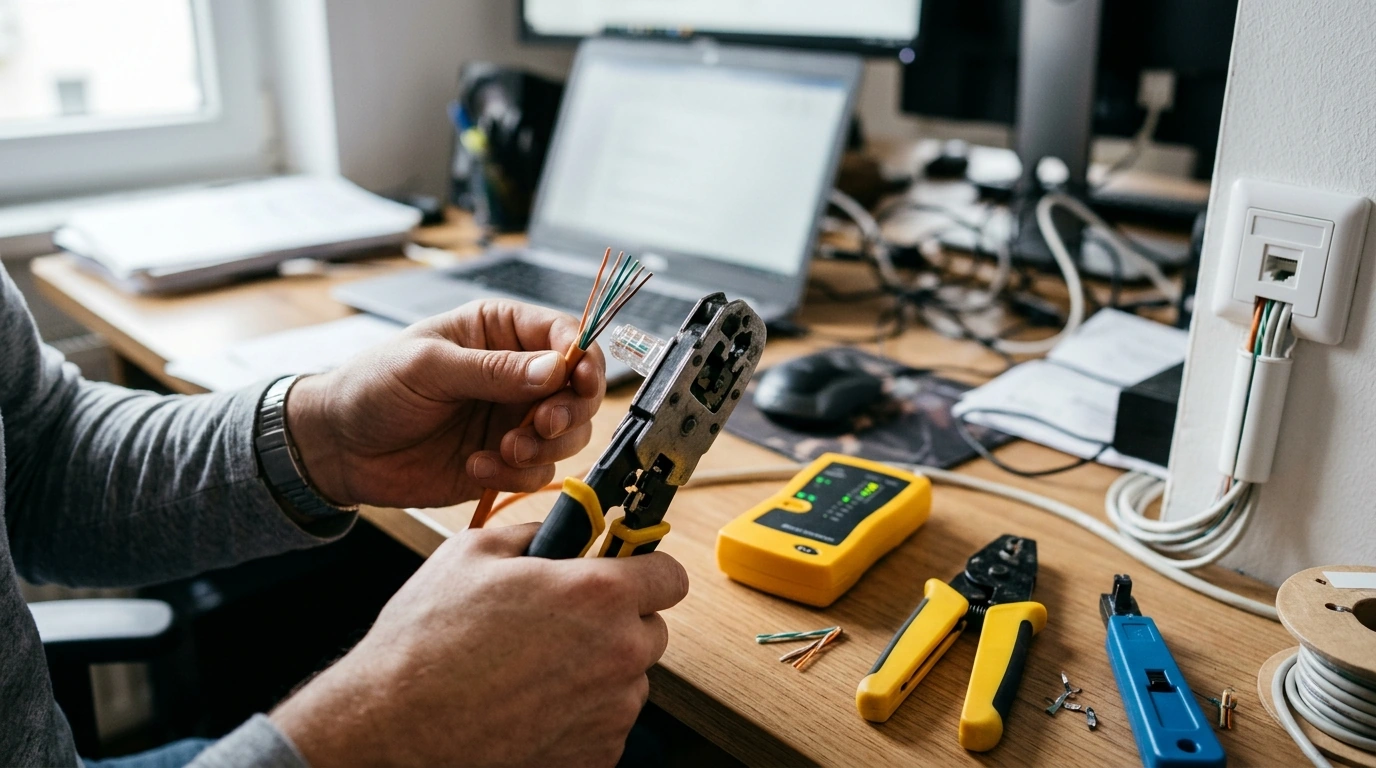
A loose connector can interrupt a home office call, gaming session, or small-business network. Before you replace anything, identify whether you’re dealing with a damaged cable, a faulty plug, or a termination at a wall jack or patch panel. Our 12-in-1 Network Repair Tool Kit with Crimper, Tester, Stripper & Punch Down Tool brings several useful tools into one purchase, but the right repair still depends on compatible parts, careful preparation, and a final test.
Start by identifying the job
A patch cable with a damaged modular plug calls for a different approach than a cable terminated at a wall jack. Start by inspecting the full accessible length of the cable and both connection points. Look for a broken latch, a loose plug, crushed or sharply bent cable, or conductors that appear poorly seated. These clues can help you decide where to work, but they don’t replace testing.
If a cable has extensive damage, replacing it may be more practical than repairing one end. If the cable looks sound but the connection is intermittent, try a known-working cable or port to narrow down the fault before cutting a connector off. Hand tools can address many termination problems; they cannot fix every device, port, or network-configuration issue.
| Tool | Typical task | Check before use |
|---|---|---|
| Stripper | Remove a short section of outer jacket | Avoid nicking the insulated conductors |
| Crimper | Attach a compatible modular plug | Confirm the plug, cable, and crimper work together |
| Punch down tool | Seat wires in a compatible jack or patch panel | Follow the component’s termination markings |
| Tester | Check a finished cable for basic wiring faults | Know which checks your tester performs |
Build a careful cable-repair workflow
First, plan the cable route. Leave enough slack to handle the end comfortably and to keep the finished connection from being pulled tight, without leaving loops where they could be snagged. Disconnect connected equipment before working on its cable connections. Keep network tools away from electrical wiring, and never assume an unfamiliar cable is safe to cut; OSHA’s electrical safety resources provide broader guidance on electrical hazards.
When preparing an Ethernet cable, remove only as much outer jacket as the selected plug or termination requires. Take care not to cut into the insulation on the individual conductors. Keep the pairs twisted as close to the termination as the component allows, and arrange the conductors according to the wiring scheme you’re using. At a jack or patch panel, its printed markings should guide the layout.
For a modular plug, verify the conductor order and make sure each conductor is fully inserted before crimping. A crimp is not a good time to discover that a wire stopped short or moved out of position. For a jack or patch panel, use the punch down tool only on a compatible termination, following that component’s instructions. A punch down tool is not a substitute for a plug crimper.
Finally, test the completed cable. If the result suggests an open, short, or wiring-order problem, inspect both ends rather than assuming the router, switch, or computer has failed. Compare the result with the intended wiring scheme, then rework the faulty termination as needed. If you manage several similar runs, label the repaired cable and note its test result; that small step can make the next troubleshooting session much faster.
Know what a basic test tells you
A cable tester can help you catch common termination mistakes, but the meaning of a passing result depends on the tester’s capabilities. A basic wire-map pass is useful evidence that conductors connect in the expected pattern. It is not, by itself, proof that a cable meets a particular category rating, will deliver a specified maximum speed, or has passed installation certification. Fluke Networks’ cable-testing resources explain the distinctions among different kinds of network tests.
If a cable passes a basic check but the connection remains unreliable, inspect how firmly the plugs fit, look again for cable damage, and try known-working ports and equipment. Device settings can also affect a connection. More advanced performance faults may require diagnostic equipment beyond a basic hand-held tester. Our team recommends treating the test result as one step in troubleshooting, not as the final answer to every network problem.
Decide whether this kit fits your setup
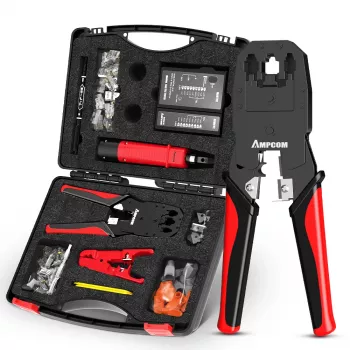
The 12-in-1 Network Repair Tool Kit is an option when you want a crimper, tester, stripper, and punch down tool together for occasional cable and termination work. Before ordering, identify the cable and connector you use, plus any jacks or patch panels you plan to service. Confirm that your replacement plugs and termination components are compatible with the job; don’t assume those parts come with the tools.
If you’re outfitting a workspace rather than making a network repair, our Stainless Steel Serving Set is a separate, non-network item in our store. It won’t help terminate or test a cable. For the repair itself, the priorities remain straightforward: choose compatible parts, prepare each end carefully, and test the finished connection before putting it back into service.
FAQ
Can this kit help replace a damaged Ethernet cable plug?
Yes. The crimper and stripper are relevant tools, but you also need a replacement plug compatible with the cable and crimper. Test the cable after attaching the plug.
Is a punch down tool needed for every network cable repair?
No. A punch down tool is generally used for compatible jacks and patch panels, not for every patch-cable plug replacement.
Does a passing cable-tester result guarantee full network speed?
No. A basic tester may catch wiring faults, but a passing result alone does not certify performance or rule out problems elsewhere in the network.









Leave a comment